Kernel Collective
Kernel Lab

The tools, systems and AI behind your business, built around how you already work. Move in. Make it yours.

For founders and small businesses whose best ideas are stuck behind the inbox, the spreadsheet and the clipboard. We build what you need with you, AI included where it earns its place, then switch seats so you can steer.

Start with the free scan, then talk it through with us on a no‑cost follow‑up call. If what you see sparks something, a short Discovery puts an actionable roadmap in your hands as prototyping begins, before anything goes live.

  1. See one.

    We build the foundation while you work alongside us, so every decision happens in the open.

  2. Do one.

    You switch seats. Your team customizes and connects what we built, and we coach.

  3. Teach one.

    You hand the method to a teammate. The capability lives in your business, not with us.

What we build

Not a website. Not software. The whole house, front door to back office.

We build the front door and the back office behind it as one connected system, set up in accounts you own. It works the day you move in, and it’s built so you can rearrange it yourself as the business grows.

  1. The foundation

    One place for your customers, records and money. Your prices, policies and dates live in plain rules you control.

  2. The rooms

    A public site for your customers, a back office for you, and a simple tool for whoever is working that day.

  3. The utilities, connected

    We build around what already works. Your shop, marketplace or payment provider keeps doing what it does well, and we connect to it carefully: test first, preview before anything goes out, and an easy way back.

  4. Built to renovate

    Change a price, a discount or a deposit, publish or retire a piece, add a teammate. These are settings, not service calls.

  5. The owner’s manual

    A plain-language guide, training your team can rewatch one chapter at a time, and a launch plan with clear go/no‑go points.

You get the keys on day one. The renovations are yours.

How it looks in practice

Lunisa Arts

Client project · Minneapolis art camp

One back office behind two front doors: a playful, parent-friendly camp site and a new master brand that opens the door to the founder’s wider art. Families register once, pay online with discounts applied, sign forms and see their own family page. On camp days, staff run check-in, approved pickups and headcounts from one screen. A training video teaches new helpers the camp day. The founder changes weeks, prices and refund rules herself, and the old site stays live until she’s ready to switch.

See the full case study

An independent artist

Now in progress

His time was going to inbox follow-ups, invoices and shipping instead of the work. We built a studio desk around the shop and newsletter he already uses. A commission request becomes one record that moves from first conversation to quote, deposit, production and delivery, with every promise date kept safe. Every morning he sees who needs a reply and what’s due. He publishes or retires artwork himself.

An aviation parts broker

Now in progress

Requests arrived by email and quotes were assembled by hand. We’re building one desk where each request is worked part by part: matched to stock, priced into an estimate, and tracked from quote to order, with inventory that shows what’s on hand, what’s reserved and what can still be promised. It’s built to connect to the marketplaces and suppliers he already uses.

Selected work · client projects

Built with founders, from the ground up.

Two real client projects, two very different shapes. In both, the work started with how the founder actually runs the business.

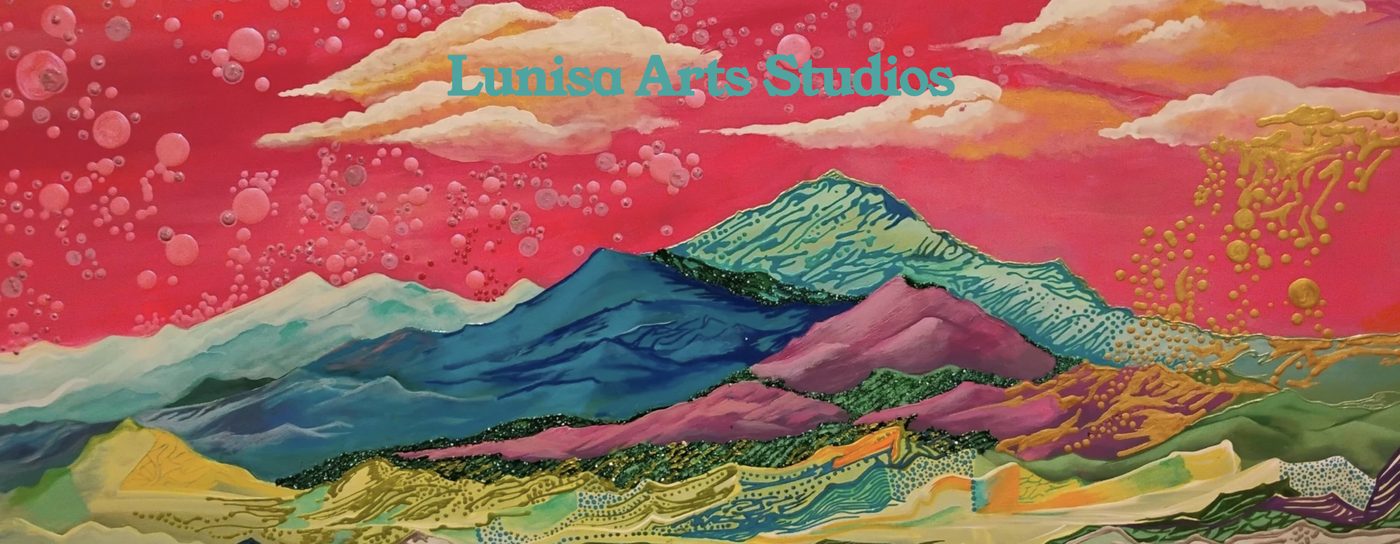
Lunisa Arts Studios homepage hero: Rocky's own painting of layered mountains in teal, plum and gold under a coral sky
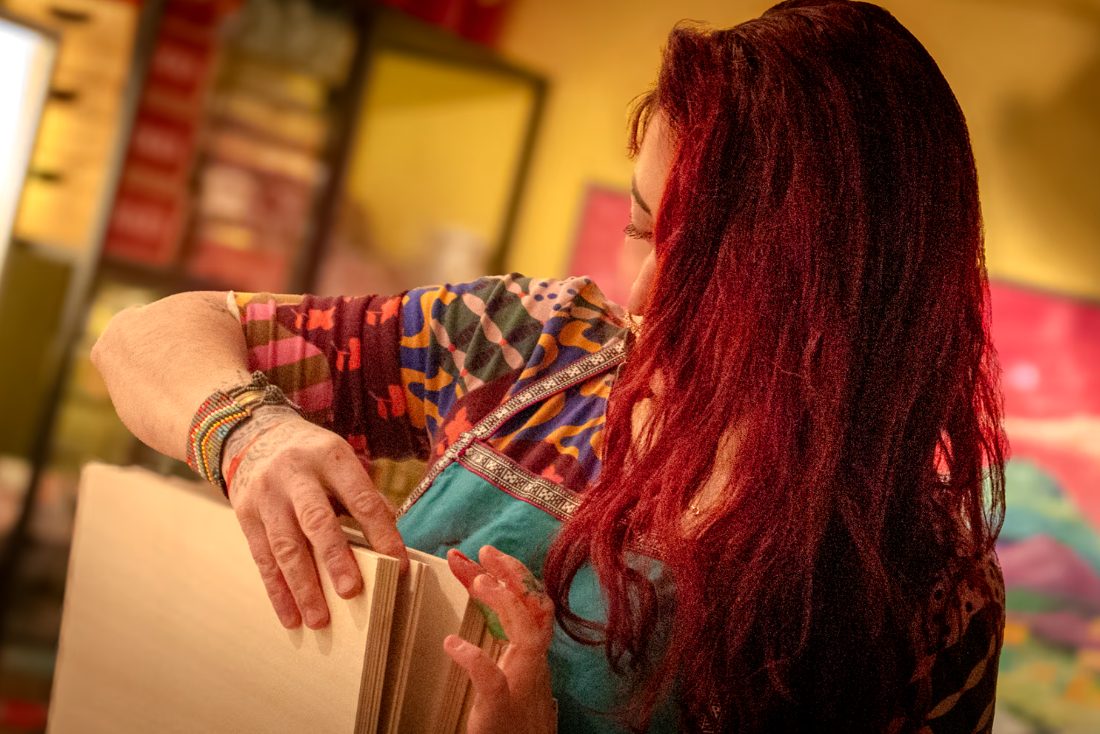
Rocky, Lunisa's founder, sorting wood panels in her studio
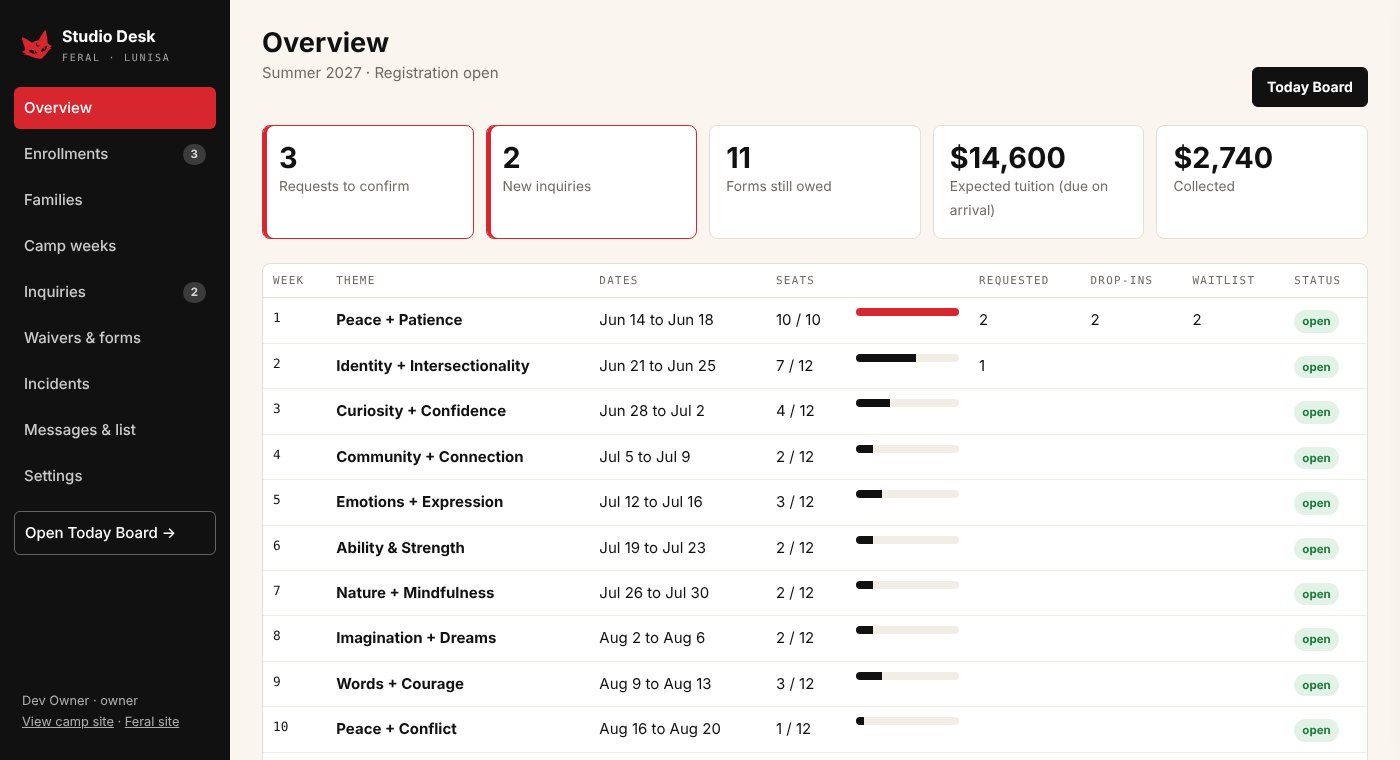
Studio Desk overview with demo data: requests to confirm, forms still owed, tuition expected and collected, and seats filled for each of the twelve camp weeks
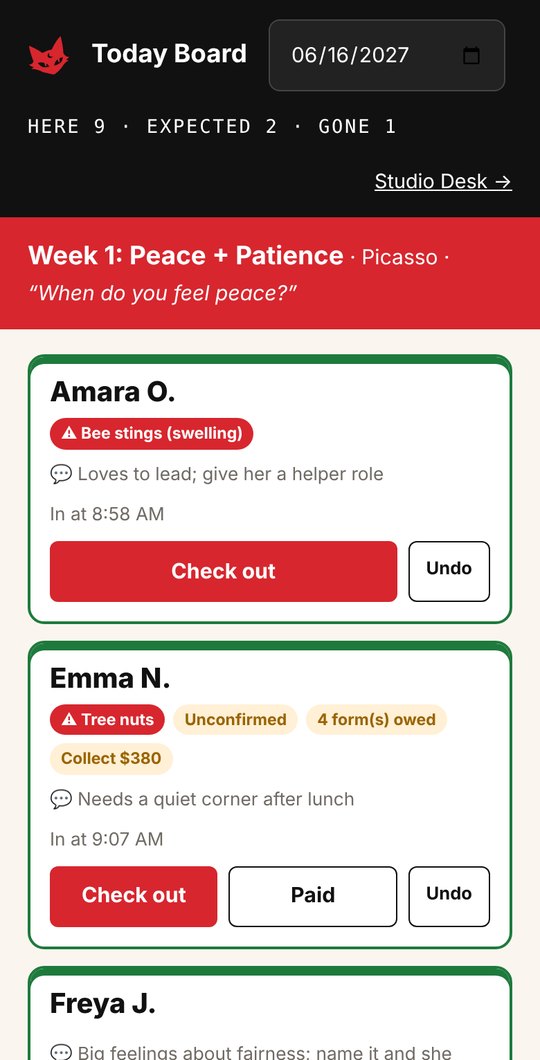
Today Board on a phone with demo data: the week's theme, then a card per child with allergy flags, support notes and check-in and check-out buttons
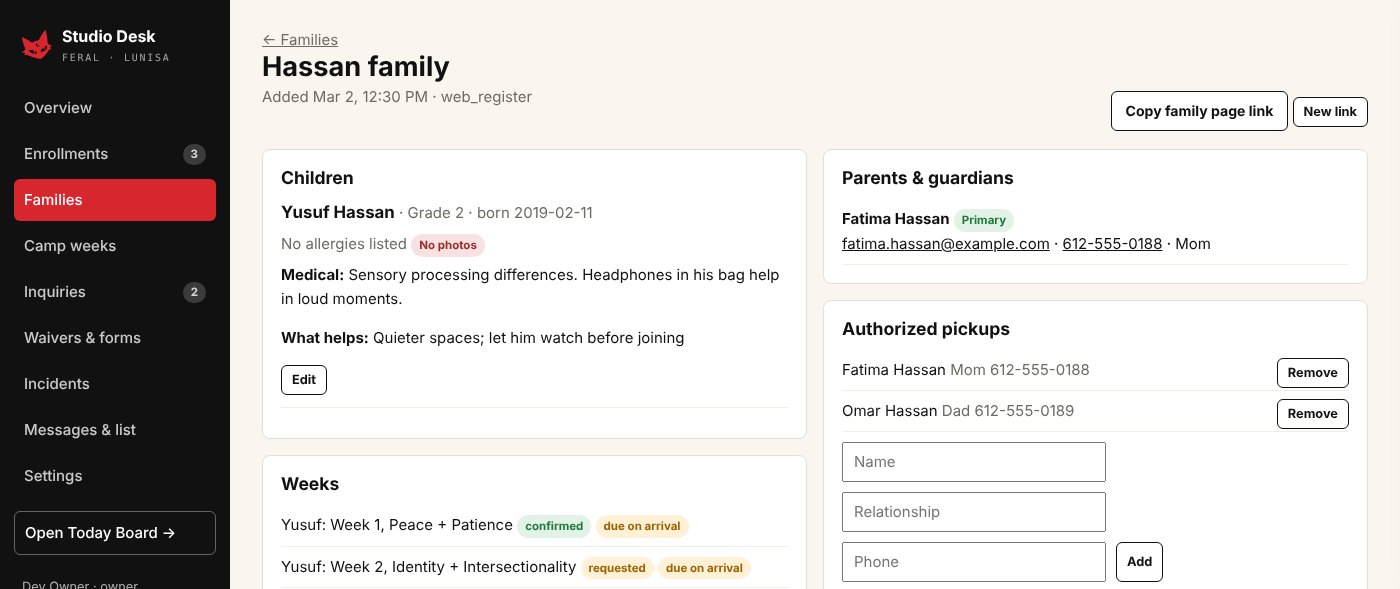
Still from the Studio Desk training video: a family record with demo data: the child's support notes and photo preference, weeks with status and payment, guardians and authorized pickups

Studio Desk · Today Board on a phone · staff training video · demo data

Campers seen from above, sitting in a circle on a striped rug with giant foam dice and roll-and-draw worksheets
01 · Brand + operations build Website liveStudio Desk: working preview

Lunisa Arts

A founder-led summer art camp in Minneapolis, given its operating structure from the ground up, then a new master brand that opens the door to the founder’s wider art, with one back office that runs registration, families, forms and the camp day behind both.

The challenge

A new camp with a clear creative vision needed the business underneath it: defined offerings and prices, a way to enroll families, and a rhythm beyond summer. Once camp was running, the work still lived in too many places: registrations in the inbox, forms on paper, payments in notes, pickups on a clipboard, and no way to tell which posts or flyers filled weeks. And the founder’s art reaches well beyond a kids’ camp, with no home for the rest of her work.

What we built

  • Offering structure and pricing for camp, small-group lessons, birthday and private parties, plus a recurring events framework
  • A new master brand for the founder’s studio, with Lunisa as its camp, making room for adult workshops, commissions and her own art
  • Studio Desk, a built-in CRM: enrollments and waitlist, a record for every family, camp weeks that update the public site, and one inquiry board for both brands
  • Online forms with e-signatures that freeze the exact text signed, plus automatic reminders
  • The Today Board: tablet check-in, checkout only to approved adults, headcounts that name who’s missing, and incident reports parents acknowledge
  • The digital front doors: the live camp site today, and new sites for both brands on the same database, with private family pages
  • Online payments with deposits, discounts, promo codes and refunds, or pay on arrival, all in one ledger; lead-source reporting next (planned)
  • A staff training video, one short chapter per task, so new helpers learn check-in, headcounts and pickups before their first camp day

How it works

A family registers once and gets a private page for forms and pickups, with no account or password. The founder confirms a spot in one click, and the confirmation email handles the follow-up. On camp days, staff run the day from one screen with allergies and support notes in view, and every check-in, payment and incident lands back in Studio Desk. New helpers learn the day from the training video and can rewatch any chapter. The camp site is live today. Studio Desk runs as a working preview with demo data and replaces the inbox once the founder signs off.

Brand architectureOperations designPricingCRMForms + e-signatureCamp-day toolStaff training
Ask for a Studio Desk walkthrough
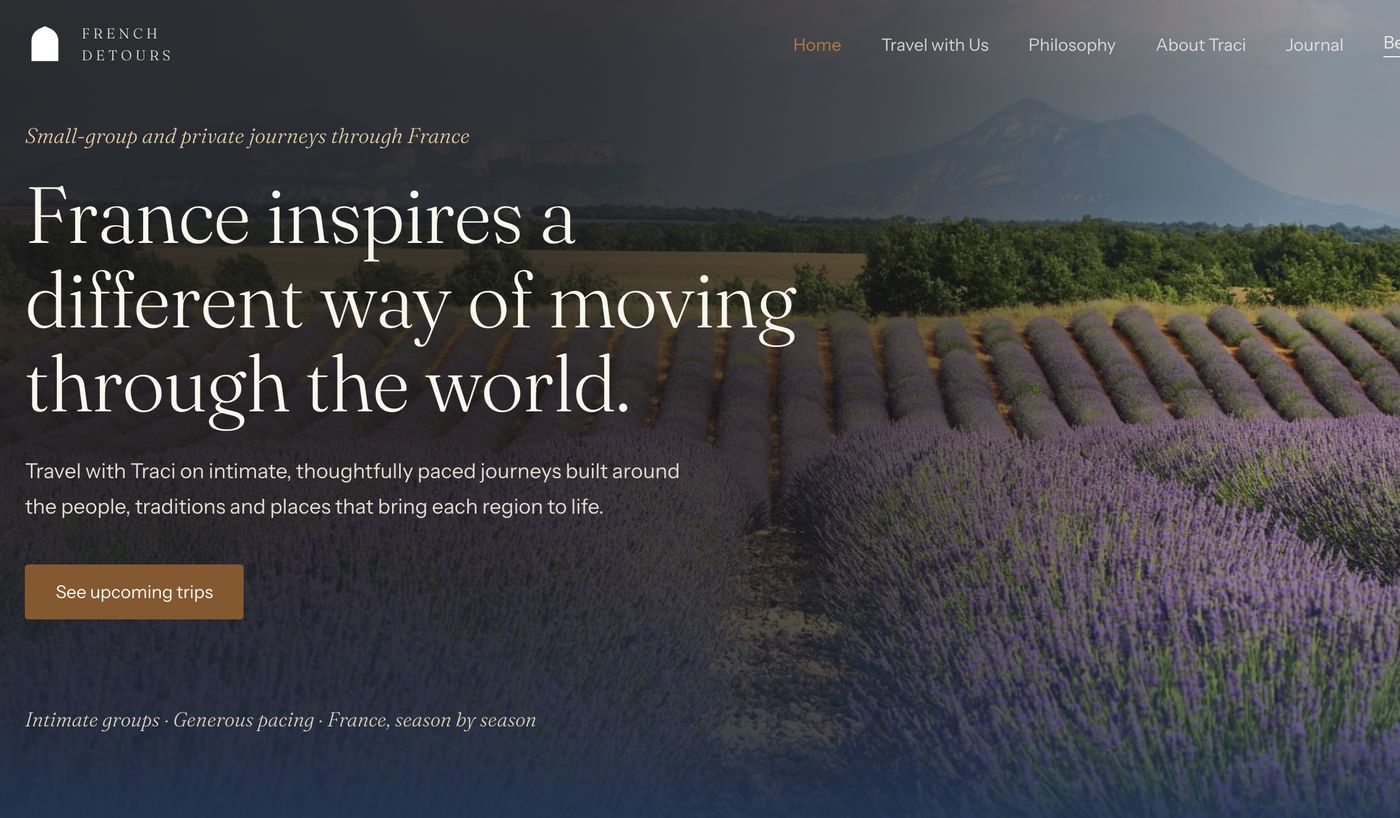
New French Detours site concept: France inspires a different way of moving through the world, small-group and private journeys
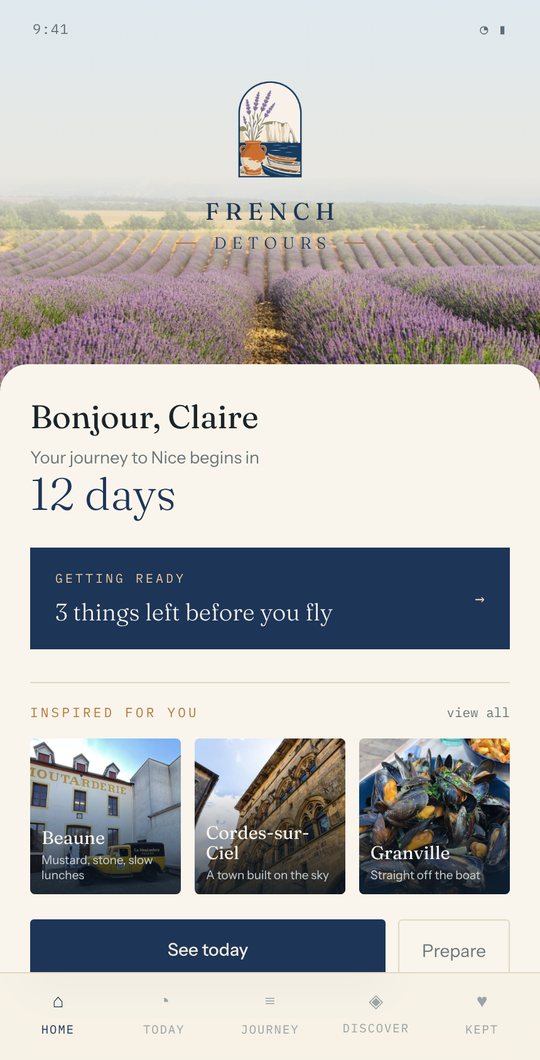
Companion app home screen: Bonjour, Claire, your journey to Nice begins in 12 days, with a getting-ready checklist and destination ideas
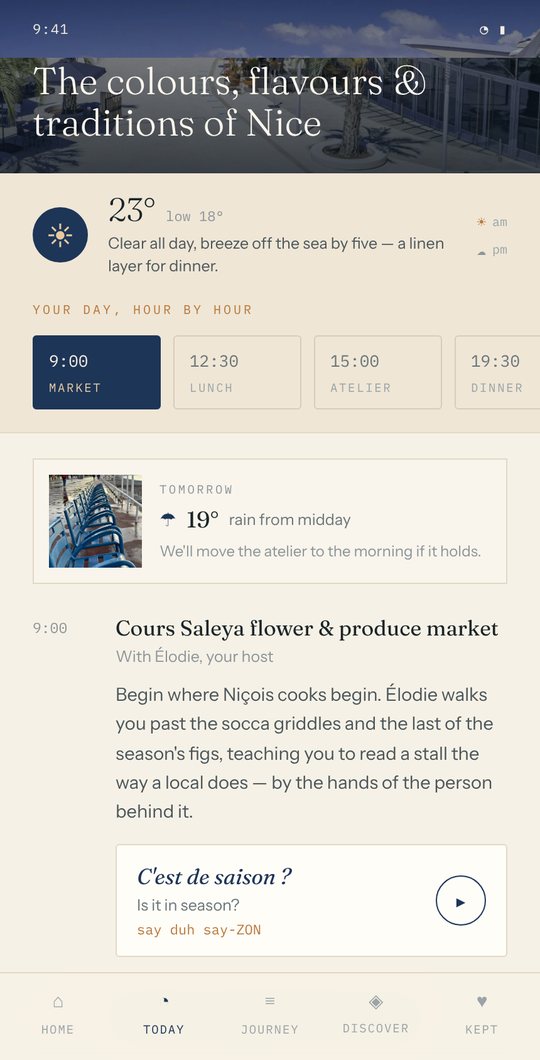
Companion app Today screen: the day's theme, weather, an hour-by-hour plan, and a French phrase card with pronunciation and a play button

New site concept · Prototype companion app

02 · Product + app prototype New site: concept deliveredApp: prototype

French Detours

An independent custom travel planner to France, shaped into a clear product definition, a new website concept, and a companion app prototype.

The challenge

Custom planning, small-group tours, and self-guided itineraries are very different things to buy. The business needed them presented as one clear product, and a way to manage every inquiry and client in one place.

What we built

  • Positioning and product structure around small-group and private journeys
  • A new website concept with a built-in CRM for inquiries and clients
  • Built-in audio pronunciation for French words and phrases, on the site and in the app
  • A companion app concept for travelers (prototype)

How it works

The new site leads with the journeys and connects travelers to what moves them, through the artisan stories and “keepers of place” who make these trips distinct. Inquiries flow into the built-in CRM instead of getting trapped in the inbox. The app concept follows a traveler from countdown through every trip day. Both are delivered concepts, not yet live at frenchdetours.com.

PositioningProduct designWebsite + CRMApp prototype
See the new site concept (opens in a new tab)

Kernel Opportunity Scan

Where could your business make more room?

Share your website, what keeps slipping, and a few businesses you admire. The scan reads what’s public and drafts a short brief of where to start. Not ready yet? Explore the sample brief to see the kind of thinking a Kernel working session starts with.

Your business

What do you want more room for?
Add more context (optional)
Two businesses you compete with or admire

Example · what a scan produces

A sample brief.

Most businesses don’t need to replace what already works. They need the missing rooms built and connected. A brief shows where to start, from the upgrades nearly every small business needs.

Fictional business Juniper & Clay is invented, unlike the client work at the top of this page. Tools named are examples we confirm during discovery.

Every build follows the same loop: capture from the tools you already use, keep it in one record, draft the next step, you review, then it lands where it belongs. Nothing is sent without your approval.

How we build

Six principles, each with a guardrail.

Whether it’s AI or a simple form, these are the rules we build by, so you always know what a tool can do, what it can’t, and who’s in charge. (You are.)

  1. Built around what already works.

    We start with how the work actually moves and the tools you already pay for, then build only the missing rooms.

    GuardrailYour shop, marketplace or payment provider keeps doing what it does well, if it’s doing it well. We connect rather than replace, to minimize disruption.

  2. AI drafts. You decide.

    AI is good at first drafts: replies, descriptions, summaries, sorting. You stay the editor and the final word.

    GuardrailNothing is sent, posted, paid or listed on your behalf unless you approve it, or you’ve switched that on for one specific, low‑stakes task.

  3. Your rules, in plain settings.

    Prices, discounts, deposits, refund windows and dates live as settings you can change yourself. AI can suggest changes, but it never makes them.

    GuardrailA reminder can’t move a delivery date you promised, and no discount can go past the limit you set.

  4. Test first, with an easy way back.

    Every build starts as a private preview with sample data and test payments. AI features are checked against your own past examples before they touch a customer.

    GuardrailNothing reaches a real customer until you’ve walked through it yourself, and every switch can be undone. Your old site stays live until you say go.

  5. Everyone sees only what they need.

    Staff, admins and customers each get their own view. Your accounts sit on business plans that don’t train on your data by default.

    GuardrailHelpers see an allergy flag, not the medical note. Costs and margins stay in your back office. AI never makes or imitates your creative work.

  6. A record you can trust.

    Every change notes who made it and when, and every customer has one history instead of five scattered threads.

    GuardrailSigned forms keep the exact text that was signed, and incident reports can be added to but never quietly rewritten.

The partnership

We drive, then you drive.

One build in two parts. Phase 1 lays the foundation while you watch it being made. Phase 2 hands you the wheel to customize and connect it, with us beside you.

  1. Before we begin

    A free conversation

    We talk through what you want room for and whether Kernel Lab fits. No commitment, and it doesn’t count toward Discovery.

  2. Discovery · first step

    Discover and scope

    Two focused working sessions to map how a real week runs and record a baseline of where the hours go.

    You leave with an actionable roadmap and your baseline, yours to keep either way

  3. Phase 1 · we drive

    See one: build the foundation

    We build inside the tools you already use while you work alongside us. Your outcomes dashboard goes live with it.

    You leave with phase 1 tools, live and ready to customize

  4. Phase 2 · you drive

    Do one: customize and integrate

    Your team leads the sessions, customizing what we built and connecting it to the rest of your tools. We coach and review.

    You leave with customizations and integrations live

  5. Hand-off

    Teach one: hand off and measure

    We review results against your baseline, and you teach the playbook forward to a teammate.

    You leave with a playbook you’ve used and a results review

Two ways to take part

Dedicated co-working sessions

Build alongside us in live sessions each week. The fastest way to own the method.

Just the weekly review

We build; you join one weekly review to make the calls. A teammate can take the wheel in phase 2.

Example outcomes

Every business is different, so we set your measures together in discovery. Here is what they often look like.

  • Amplified reach

    Marketing and advertising ROI you can track, with CRM-lite builds that keep every lead in view.

  • Unlocked efficiencies

    Faster turnaround and fewer dropped balls, so work keeps moving and nothing slips.

  • Workflows you built

    New capability your team creates on its own, long after we leave.

  • The real payoff

    Creative capacity

    Time and headspace for new offers, programs, and ideas you didn’t have room to imagine before.

Each is tracked against the baseline we record in discovery. The efficiencies matter, but the real return is what you do with the room they make.

Private by design. Your voice stays yours. People make the calls that matter.

What you own

When we leave, everything stays.

No lock-in, and nothing hidden in our accounts. The point of Teach one is that you can keep building without us.

  • Tools in your accounts

    Everything is set up under your logins: the apps you already pay for, and any system we build for you. You hold the keys.

  • A working playbook

    How each tool works, why it was built that way, and how to change it. Written as we go, and used before hand-off.

  • Ready to teach it forward

    With the playbook in hand, your team can show the next person how it works. That’s the Teach one promise, kept.

  • Room to keep building

    A list of what to build next, and the confidence to start it. The hours you get back go to your best ideas.

Questions

Good things to ask before you start.

These are the questions we hear most, especially the worried ones. If yours isn’t here, bring it to the follow‑up call.

About AI itself

Will it send things or make decisions on my behalf?

Not unless you choose that; see principle 02. If something routine, like a booking confirmation with fixed wording, should go out on its own, we switch it on for that one task only, show you how to turn it off, and keep a record of what was sent.

Is my information safe? What about security?

Each person and tool gets only the access it needs; see principle 05. Some free and personal AI plans do train on your data unless you change a setting, so we check those together. Passwords and sensitive client details stay out of AI tools, and you own every account and can close it any time.

Will AI use or copy my creative work?

Not in anything we build. In Discovery we also check the tools you already use, including image tools, for settings that let them learn from what you upload, and switch those off where you can.

Isn’t using AI putting other people out of work?

It’s a fair concern, and we take it seriously. Our work is aimed at the tasks you’re already doing yourself after hours: the inbox, the admin, the half‑finished website. The goal is to give time back to you and your team, not to replace someone you’d otherwise hire. We won’t scope a project whose purpose is cutting a person’s job.

What about the energy and data centers behind AI?

It’s a real cost. Data centers are using a growing share of the world’s electricity, and AI is a big reason why. We keep your footprint small on purpose: the smallest tool that does the job, plain rules instead of AI wherever they work, and no image or video generation unless it’s actually needed. Using AI for a few useful tasks a week is very different from running it all day.

Should I be worried about where AI is heading?

Serious people debate AI’s long‑term risks, and it’s reasonable to follow that conversation. What we set up is much more ordinary: tools that draft, sort, and summarize under your supervision. We don’t build systems that act on their own without you, and everything comes with an off switch.

I don’t trust it yet. Do I have to?

No. Trust should be earned, the same way you came to rely on a spreadsheet. Every build starts as a preview you walk through yourself (principle 04), then begins with low‑stakes tasks where you check every result. It does more only when you’re comfortable. You decide the pace.

What if it gets something wrong?

It will, sometimes. That’s why you approve what matters and why your rules live in settings AI can’t change. When it misses, that case becomes a new test, so the same mistake gets caught next time.

What will the AI tools cost me each month?

Separate from our fees, most businesses start with tools they already pay for or a single paid plan; individual plans from the major providers are about the price of a streaming subscription, and team plans with stronger data protection cost a little more per person. Before we build anything, you see the expected monthly cost in writing. We avoid tools that bill by usage without a spending cap, so there are no surprise bills.

How do I keep it running after we leave?

That’s the point of “teach one.” Everything is built in accounts you own, with a short plain‑language guide for each build: what it does, where it lives, how to change it, and how to turn it off. By hand‑off, you or a teammate has already made changes without us. If you want a check‑in later, we can do that, but you won’t need us to keep it working.

Working with Kernel

Do I need to know anything about AI?

No. Discovery starts with how your business works, not with the technology. You learn the tools by using them on your own work.

How do I get started?

Run the free Opportunity Scan, then talk it through with us on a no‑cost follow‑up call. If it sparks something, Discovery is two focused working sessions that put an actionable roadmap in your hands. From there, you decide whether to start Phase 1.

What tools do you build with?

Whatever fits how you already work. We favor tools you already pay for and add new ones only when they earn their place.

What do your services cost?

Pricing depends on what we build together. We’ll talk it through on the free follow‑up call, before you commit to anything.

What if I’m short on time?

Choose the weekly review. We build, you make the calls, and a teammate can take the wheel in phase 2.

Start a conversation

Explore these opportunities with Kernel.

Tell us where you want more room. If you saved scan answers or selected ideas from the sample, they’re included below, and you can edit them before sending.

The scan and the follow‑up call are free. If it sparks something, a short Discovery puts an actionable roadmap in your hands before anything goes live.

Sending opens your email app with everything filled in.